The term “Google AI” gets thrown around loosely these days, but it can refer to several distinct capabilities within Google Ads. Not all of them are good for every advertiser.
In this post, I outline which AI-powered features to leverage in Google Ads – and which to beware of.
What is Google AI?
Within Google Ads, Google AI is an umbrella term used to describe an array of capabilities that are powered by artificial intelligence and machine-learning algorithms. These algorithms process vast amounts of data to recognize patterns, predict future outcomes and automate tasks.
In practice, Google Ads AI can be leveraged in several different ways:
- Smart Bidding
- AI-powered campaigns (AI Max & PMax)
- Asset creation
- Account automation
- Ads Advisor (AI chat agent)
The problem with AI in Google Ads

With the rise of AI, many advertisers now perceive it as the smart way to run a Google Ads campaign. But this is only partially true. The reality is: it depends on which aspects of Google AI you’re referring to.
While Smart Bidding and asset creation can help to maximize performance and save time, advertisers should not hand over full control of their campaigns to Google, which some AI features do. This can result in wasted spend, especially for advertisers with limited budgets.
AI perception vs. reality
Recently, a client asked, “Can we use ChatGPT to find the best strategy for our Google Ads campaign?”
Short answer: no. But we recognize the impulse to do so.
In most contexts, AI-powered tools absolutely do improve processes and make life easier. The problem is that some advertisers mistakenly assume that the “smartness” of those AI tools will translate into smarter, higher-performing campaigns when using Google Ads AI. It doesn’t.
In reality, Google sometimes uses the term “AI” to refer to features that merely give more control to Google – some of which have already existed for years, under different names. And as I’ve written about extensively, nothing is more valuable to Google than being able to control advertisers’ accounts at scale.
So, which Google AI features are good, and which should be avoided? Here’s a breakdown.
1) Smart Bidding & conversion optimization GOOD
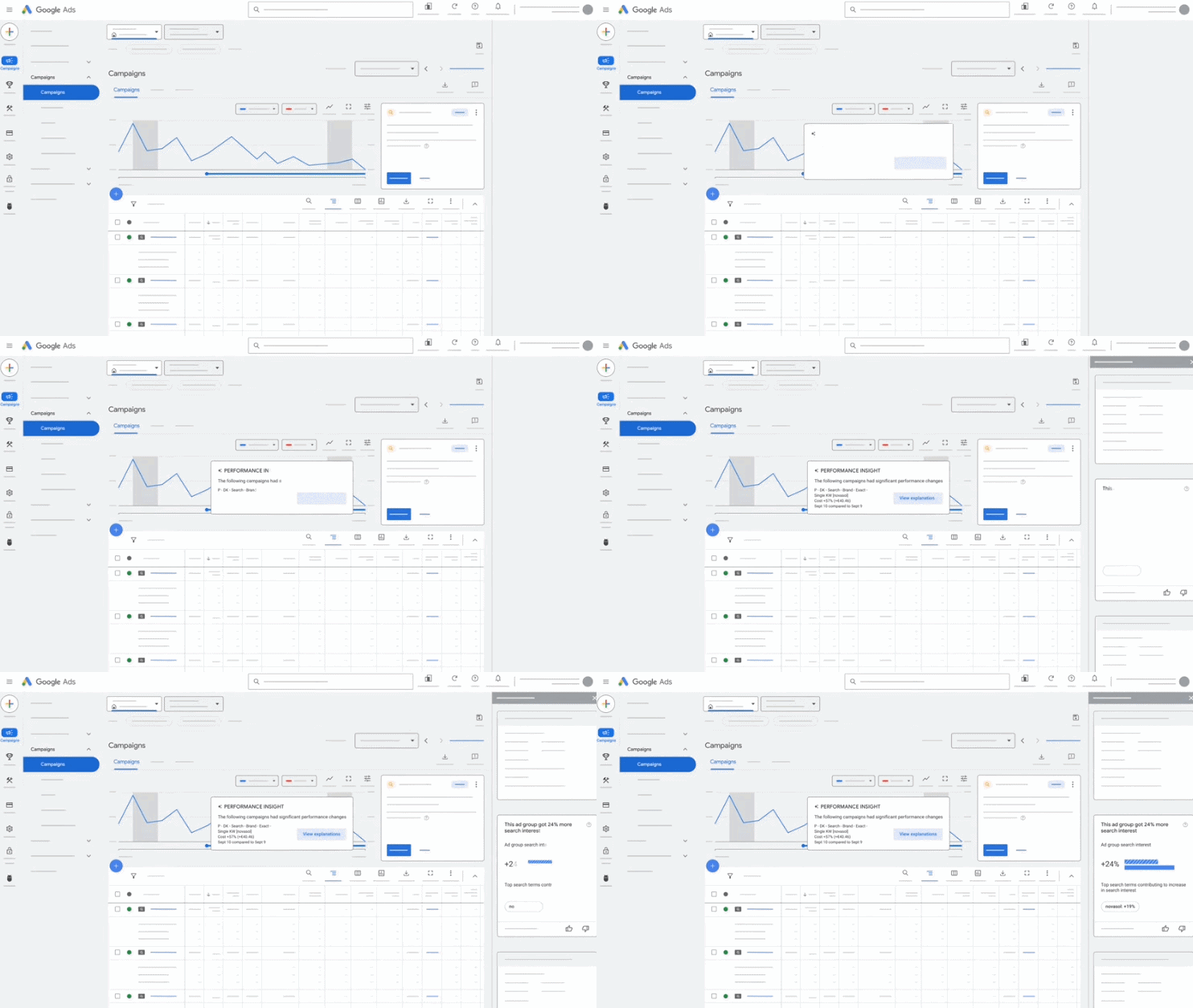
Image courtesy of Google
Smart Bidding is one of the most powerful features in Google Ads. (I wouldn’t necessarily refer to it as “AI,” but Google does, and it does involve machine-learning algorithms.)
In Google Ads, Smart Bidding uses automated strategies to increase performance by placing your ads at the right bids, in the right places, at the right time. More precisely, it helps to deliver more value to advertisers by predicting which clicks are more likely to convert, based on numerous factors, including your historical campaign data.
When using Smart Bidding, advertisers can choose from two bid strategies:
- Maximize Conversions (with optional target CPA)
- Maximize Conversion Value (with optional target ROAS)
In contrast, an example of a non-Smart bid strategy is “Maximize Clicks,” which simply gets you as many clicks as possible on your ads, regardless of which clicks convert into actual customers.
Smart Bidding learns from your account performance. It sees which keywords and ad configurations are actually converting, so it can target more effectively and generate conversions, more cost-efficiently. Plus, Google analyzes endless other data signals about users as part of this conversion optimization.
Increasingly, Google Ads knows what will convert, thanks to these machine-learning algorithms – and most advertisers should take advantage of that.
When NOT to use it?
- A Smart Bidding strategy will almost always come with higher CPCs. That’s because the keywords that convert well will naturally be more competitive when multiple advertisers are using a Smart Bidding strategy in the same locations (and because Google is essentially controlling the auction at that point).
- In some niches, Google’s AI can’t reliably predict what will convert well enough to minimize the added cost of the higher CPCs. In other words, some advertisers may find they can achieve lower CPAs or higher ROAS with a Maximize Clicks or Manual bid strategy – so be sure to test both, if budget allows.
2) AI Max & Performance Max CAUTION
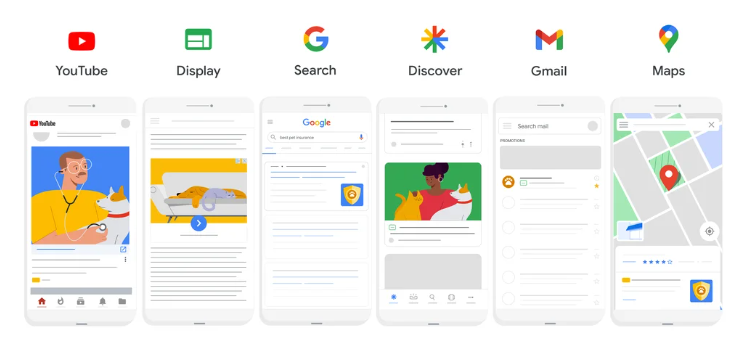
Image courtesy of Google
AI Max and Performance Max enable advertisers to employ AI machine-learning at the campaign level. But each one works differently, and for many advertisers we don’t recommend either.
- AI Max is an optional setting within Search campaigns that works a little bit like Google’s dynamic search ads (DSA). It automates your ads and targeting based on your existing assets and the text on your website (often allowing your ads to show for extremely broad user queries).
- Performance Max is a campaign type that allows advertisers to target audiences across all Google, including Search, Display Network, YouTube and Discover. It also offers optional automated ad customization.
If you’ve read our post on reasons not to use Performance Max, then you know we’re a bit cautious about it, especially for smaller advertisers. But our guidance is more nuanced because ultimately, AI Max and PMax are both tools that have their place depending on the advertisers’ goals.
Why should advertisers be cautious?
- AI Max can get very loose in its keyword targeting, going after searches that are even broader than traditional broad-match queries. This means you’ll get clicks for lower-intent searches that are much less likely to convert (and thus a waste of money for many advertisers).
- Performance Max can waste money by putting your ads in places where people aren’t actively searching for your products or services. Very often, these placements include questionable websites and mobile apps that use bots to click your ads (earning them a commission in the process).
Performance Max does use AI to optimize your campaign performance, much like Smart Bidding. As Google notes, “Google AI [in PMax] is used across bidding, budget optimization, audiences, creatives, attribution, and more.” But it must be harnessed carefully to prevent wasted ad spend.
When to use it?
- Consider AI Max and Performance Max when you believe you’re hitting a limit in available search volume for your high-value keywords and need to expand elsewhere.
- Performance Max also does well, in some niches, when you’re optimizing for conversion value (for actual, trackable purchases).
- You can also try testing both on a limited basis with campaign experiments.
3) Creation of ads & assets OKAY

Image courtesy of Google
When creating any campaign in Google Ads, you have the option to use Google AI’s generative capabilities to create your ads for you, along with other assets, like images and video.
This is generally fine. It can often be a time-saver. Just be sure to review the output carefully to make sure it’s aligned with your business and your goals.
Examples of what Google AI can create for you:
- Ad text
- Ad URLs
- Ad images & videos (Performance Max)
- Ad logos & business names
The new Asset Studio in Google Ads is fully integrated with Google’s AI-image generator Nano Banana. It’s great for creating realistic photos, videos, voiceovers and other creatives, when needed. However, smaller advertisers generally won’t need this unless they’re advertising heavily on Display, YouTube or other networks.
At MarlinSEM, we rarely use Google AI to create our clients’ ads (with the exception of some image assets if the client doesn’t have their own). This is because we often have very specific goals for how we want the ads to appear. Very often, we want the ad copy to prevent clicks from low-interest buyers and information seekers. This means using language such as minimum price points or aggressively emphasizing certain calls to action.
Remember, Google’s responsive ads will rotate your text in endless combinations. So it’s critical that every possible combination prepares users for what they’ll find on your landing page and what they’re supposed to do next.
You don’t simply want clicks. You want clicks that convert. Google’s automatically created assets don’t always achieve this.
When NOT to use it?
- Don’t let Google fully write your ads unless you’re concerned about your own ability to write them.
- If the messaging in your ad is critical for the user to know before clicking (and thus important for preventing wasted clicks), then do not let Google write the ad. Take the time to craft it carefully.
4) Total account automation BAD
This is where things can go deeply awry, especially for Google Ads newbs.
If you hear “Google AI” and think that sounds like an amazing way to fully automate your Google Ads campaign, then stop immediately. No advertiser should give Google control over their campaigns, even though Google makes it easy to do so.
Google does offer numerous automation options that appear helpful to advertisers. But very often, these features relinquish too much control from the advertiser and lead to wasted ad spend.
Examples of automation options that Google Ads pushes:
- Auto-apply recommendations
- Account-level automated assets
- Campaign type & bid strategy
- Automatic keyword additions & removals
- See the full list of automatic changes Google can make, when permitted
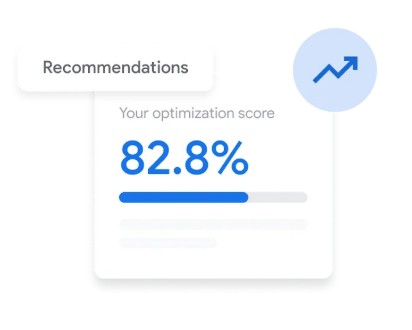
From the moment you create a Google Ads campaign, Google will suggest all kinds of strategies and settings – but often, these recommendations are bad (and the associated Optimization Score is meaningless).
It’s not that Google wants you to fail. It wants to make sure every penny of your budget is being spent each month, on autopilot, on ad placements that may be profitable for Google but not necessarily profitable for advertisers.
In short: don’t let Google control your campaigns, even under the guise of artificial intelligence.
When to automate?
- Automated Smart Bidding (See #1) and ad rotations are the main types of automation we recommend in Google Ads.
- Never enable Auto-Apply Recommendations.
5) Ads Advisor (Support / Chat Agent) GOOD

Image courtesy of Google
The relatively new Ads Advisor in Google Ads is still a little clunky, but it can be helpful. And surprisingly, it’s not a Google shill, as Search Engine Land reported – it doesn’t just push the same old recommendations, like broad match and Pmax (yet).
Ads Advisor is an AI chat agent that can help answer questions about your campaigns and provide some guided support.
It’s well known that contacting Google Support can be frustrating. In my experience, it’s been more helpful to troubleshoot some issues by using AI platforms like Gemini, rather than contacting support (particularly for complex technical issues with conversion tracking). Ads Advisor essentially tries to do the same thing, but directly within Google Ads. (Presumably, it will eventually allow you to fully create and manage campaigns from within this chat experience.)
Ads Advisor is a bit limited – we don’t generally have a need for it here at MarlinSEM. But if you’re new to Google Ads, it can be a helpful tool for finding your way around. As long as it doesn’t start pushing the same bad recommendations that the rest of the platform does, then there’s no harm in using when you need it.
When NOT to use it:
- Be wary of using Ads Advisor for campaign strategy.
- If/when applicable, don’t allow Ads Advisor to make changes on your behalf (with the exception of minor troubleshooting fixes, though I don’t think this functionality is available yet, at the time of this writing.)
- If Ads Advisor isn’t giving you a good answer, try an external AI assistant, like Gemini, Claude or ChatGPT.
Frequently Asked Questions
1. Can we use ChatGPT for our Google Ads?
Not really. ChatGPT and other AI assistants can only give you broad advice about your Google Ads strategy based on the collective online knowledge they’ve been trained on. They cannot provide the real-time or historical performance analysis that is needed to run a successful Google Ads campaign. Direct integrations between the Google Ads API and AI platforms like ChatGPT are possible (PPC managers are increasingly experimenting with them), but as of now, they generally require some custom development.
2. What is Google Ads AI Max?
Google Ads AI Max is an optional setting in Search campaigns that uses machine learning to match your ads with users’ searches and existing text on your website. In some cases, this can lead to overly broad keyword targeting and lower-intent traffic.
3. What’s the difference between Performance Max and AI Max?
Performance Max is a campaign type in Google Ads, while AI max is an optional feature in Search campaigns. Both use machine-learning and offer similar ad automation capabilities. However, Performance Max is a more robust advertising strategy that places your ads across numerous online channels, while AI Max pertains more narrowly to Search.
4. Can my Google Ads appear in AI overviews?
Yes, Google Ads can appear in AI overviews when they meet specific criteria. Ads can appear in AI overviews if you’re using a Performance Max, Shopping or Search campaign. For Search, keywords must be set to broad match, or AI Max must be enabled.
Conclusion
“Google Ads AI” can mean a few different things. Generally speaking, Google’s AI capabilities are most powerful when they use machine-learning to determine which ad clicks are more likely to convert, based on every available data point. However, advertisers should be wary of AI-branded features that merely relinquish control of their campaigns to Google.
Feeling a little lost?
Let’s see if I can help. Fill out this form and I’ll email you information on how we can work together to improve your campaign performance.

![How to Use Google Ads for Limo Services [Updated 2026]](https://marlinsem.com/wp-content/uploads/2024/01/limo-company-advertising-google-ads-2025.png)